Coming Soon

Staff Scheduling Built for Escape Rooms

Build schedules in minutes, track labor costs in real-time, and give your team their own portal to view shifts, set availability, and clock in.

Unlimited Staff Accounts
1-Click Schedule Publish
CSV Payroll Export
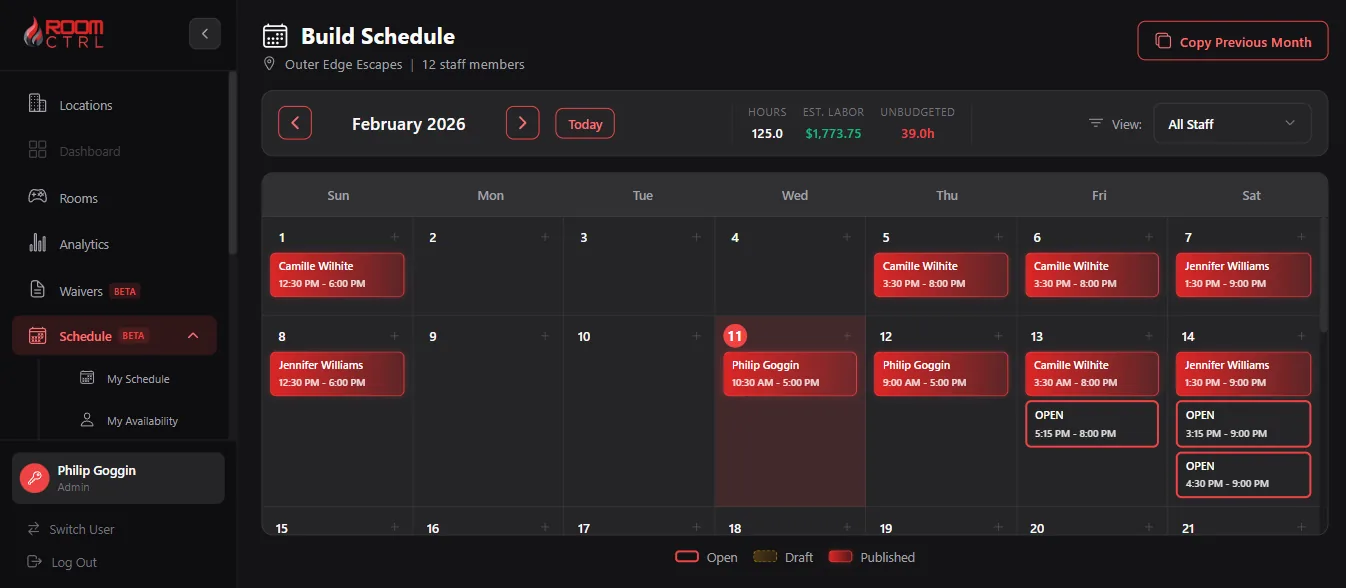
RoomCTRL Schedule Builder - Monthly calendar view with staff shifts
Mobile App

Your Team's Schedule in Their Pocket

The RoomCTRL Staff app gives employees everything they need—without access to the full dashboard.

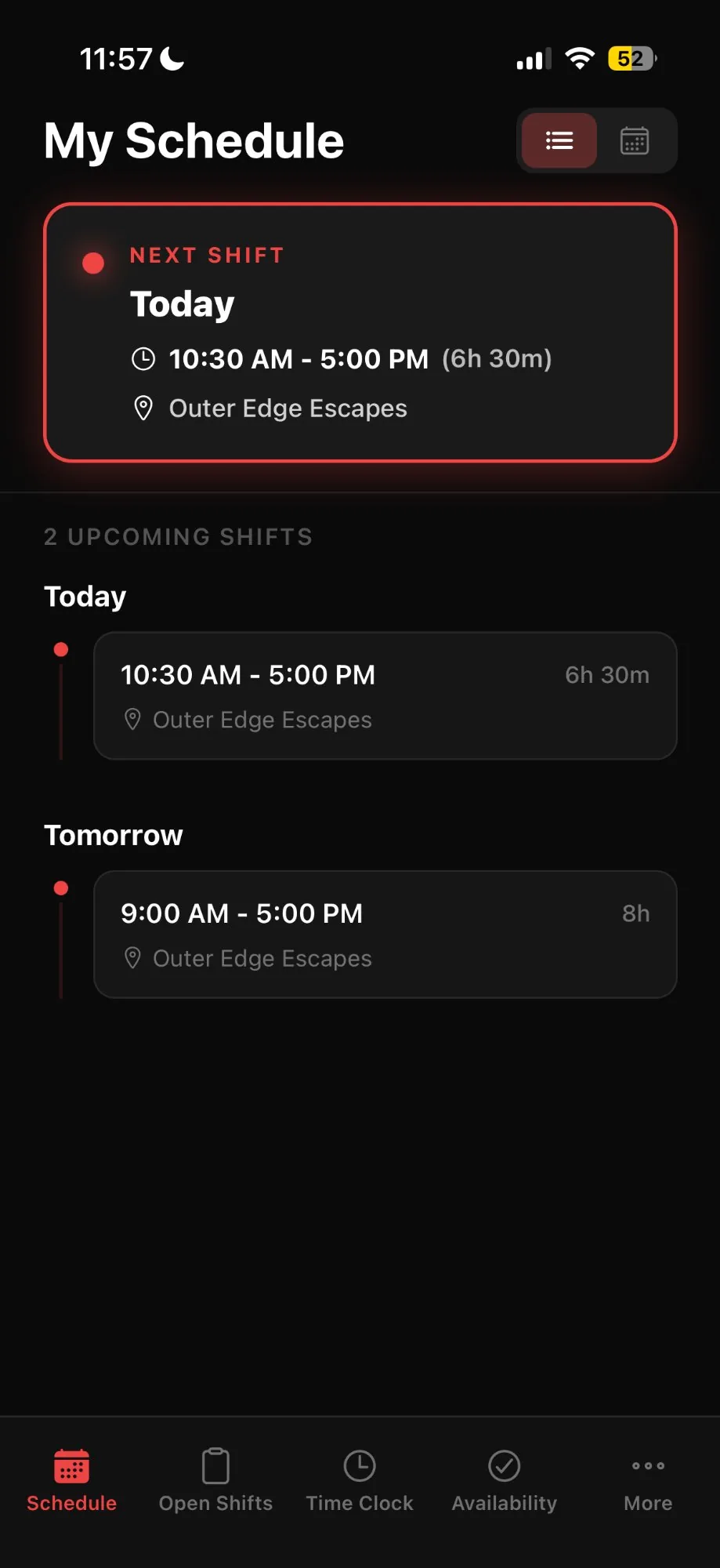
View upcoming shifts and weekly schedule
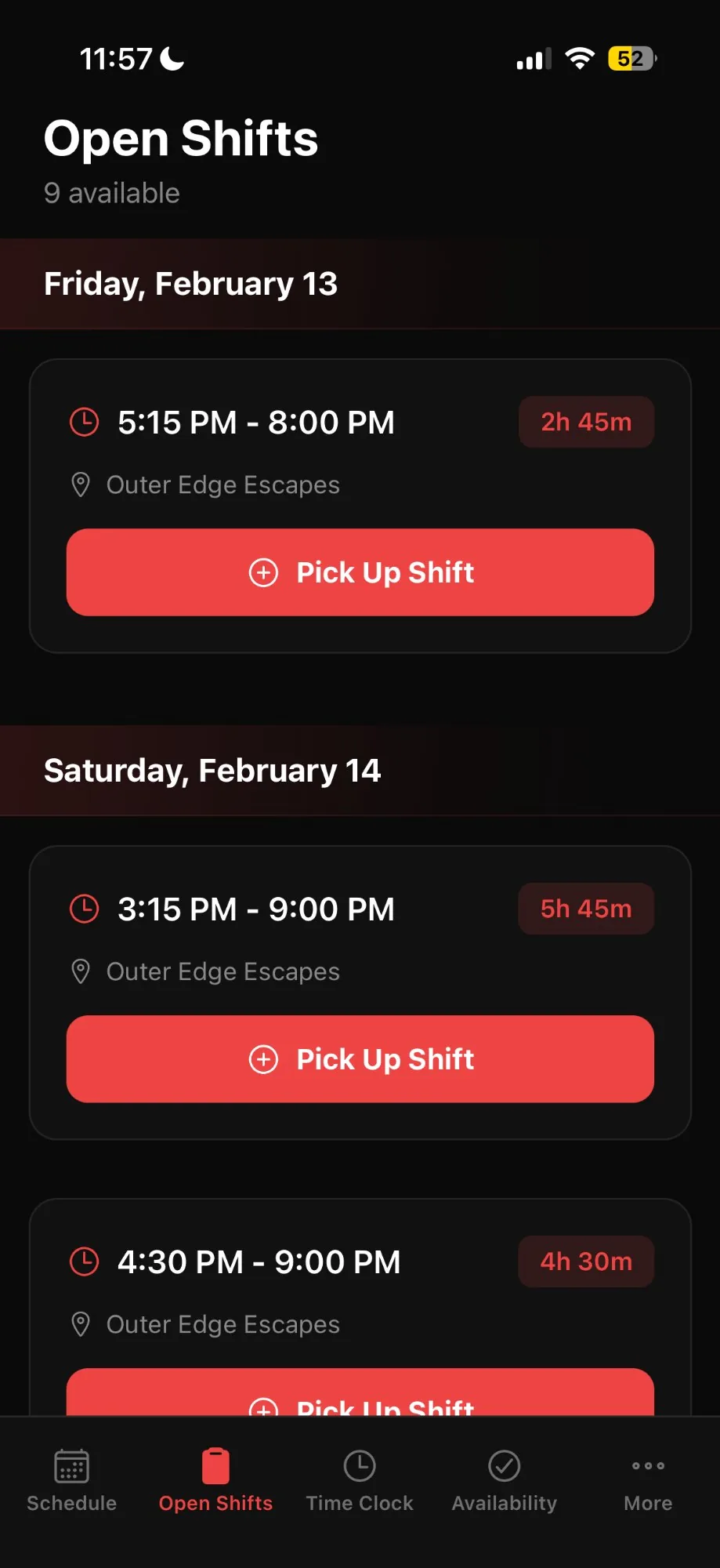
Pick up open shifts with one tap
Clock in and out from anywhere
Set availability and request time off
Push notifications for schedule changes
App Store — Coming Soon
Google Play — Coming Soon
Schedule Screen
Open Shifts Screen

Everything You Need to Manage Your Team

Stop juggling spreadsheets and group texts. RoomCTRL scheduling puts everything in one place.

Visual Schedule Builder

Drag-and-drop interface makes building weekly or monthly schedules a breeze. See your whole team at a glance.

Labor Cost Tracking

See estimated labor costs as you build. Track hours scheduled vs. budgeted in real-time.

Open Shifts

Post shifts without assigning a specific person. Staff get notified and can claim them from their app.

Push Notifications

Staff get instant alerts when schedules are published, shifts change, or open shifts become available.

Time Clock

Employees clock in and out from the app. Managers see who's working in real-time.

Time Sheet Export

Export weekly time sheets to CSV for payroll. Filter by staff, date range, or location.

Schedule Builder

Build Schedules in Minutes, Not Hours

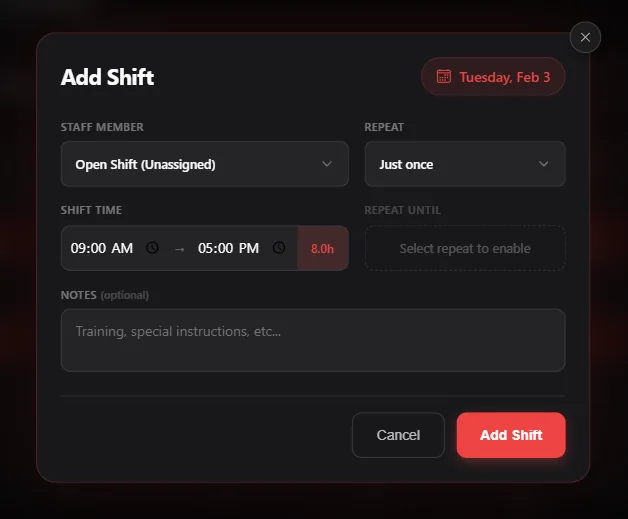
The intuitive calendar view shows your entire month at a glance. Click any day to add shifts, assign staff, or post open positions.

Copy Previous Month

One click copies your entire schedule from last month. Just tweak what's different.

Repeating Shifts

Set shifts to repeat daily, weekly, or bi-weekly. Perfect for regular schedules.

Draft Mode

Build schedules privately. Publish when ready and staff get notified instantly.

Add Shift Modal - Easy shift creation with time selection
Time Sheets

Payroll Made Simple

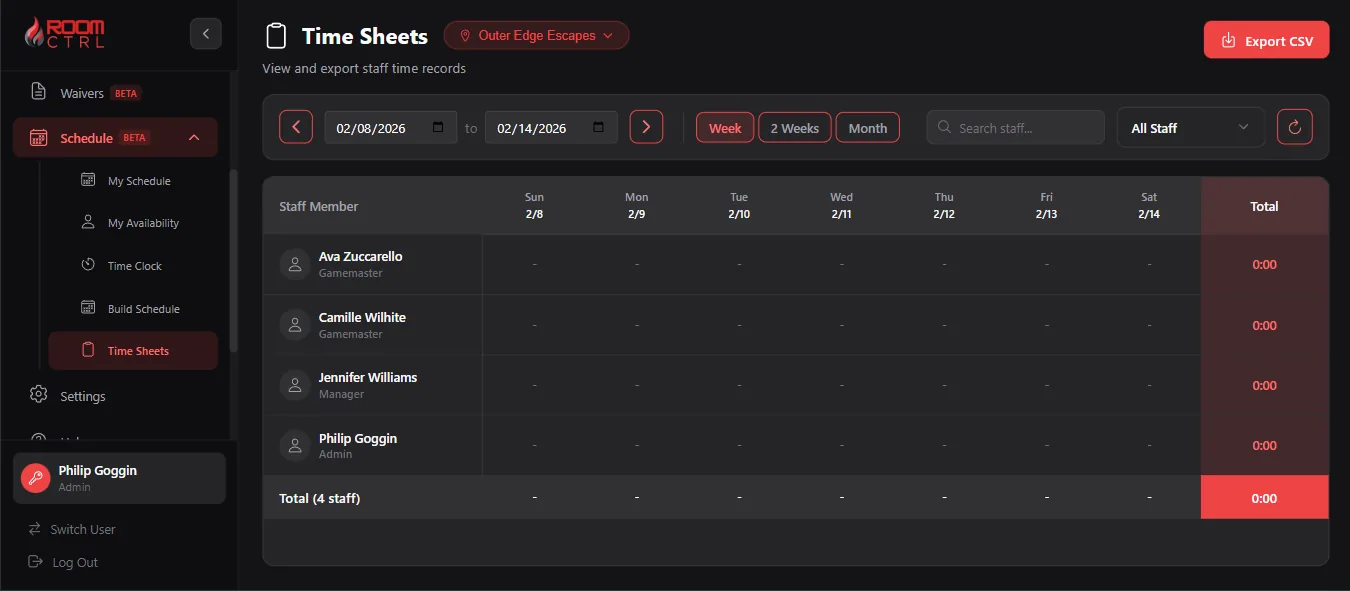
See everyone's hours at a glance. Filter by week, bi-weekly, or month. Export to CSV for your payroll system.

Weekly Grid View

Each staff member's hours displayed in an easy-to-read weekly grid.

One-Click Export

Export to CSV for any payroll system. Filter by location or role first.

Role Tracking

See each employee's role (Game Master, Manager, etc.) right in the view.

Time Sheets View - Weekly staff hours with export option

Give Your Team Their Own Portal

Staff don't need access to the full dashboard. They get exactly what they need—nothing more.

My Schedule

Employees see their upcoming shifts in a clean calendar or list view. No confusion, no digging.

Calendar and list views
See shift times and notes
Option to view team schedule

My Availability

Staff set when they're available to work. Managers see it when building schedules.

Set weekly recurring availability
Block specific dates (vacations)
Specify time ranges per day

Ready to Simplify Your Scheduling?

Join escape room owners who've upgraded to smarter team management. Try RoomCTRL free for 60 days.

Get Started Free